Your system asks for reduced motion, so VFX-JS draws nothing. Demos on this site show plain HTML.
Effects
There are two ways to style an element. Pass a preset name to
shader, or pass effect objects to effect. Use
one or the other, not both.
Shader presets
@vfx-js/core comes with these presets. Pass the name to
shader.
vfx.add(el, { shader: "rainbow" });

// Some presets draw outside the element. Give them room with overflow.
vfx.add(el, { shader: "glitch", overflow: 100 });
uvGradient
rainbow
glitch
rgbGlitch
rgbShift
shine
blink
spring
sinewave
pixelate
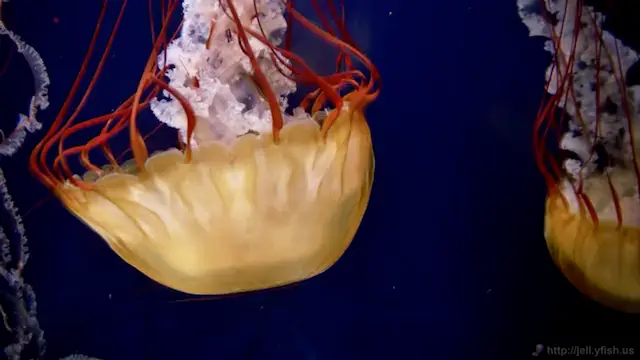
halftone

invert
grayscale
duotone
tritone
hueShift
vignette
chromatic
Scroll reveal presets
These animate in when the element enters the viewport, and out when it leaves. Scroll them in and out to see it again.
slitScanReveal
warpReveal
pixelateReveal
focusReveal
Preset uniforms
Some presets read values from uniforms. They have no
defaults, so pass all of them.
| Preset | Uniforms |
|---|---|
duotone
|
color1, color2 (vec4), speed |
tritone
|
color1, color2, color3 (vec4), speed |
hueShift
|
shift (0 to 1) |
vignette
|
intensity, radius, power |
chromatic
|
intensity, radius, power |
vfx.add(video, {
    shader: "duotone",
    uniforms: {
        color1: [0, 0, 1, 1],
        color2: [0, 1, 0, 1],
        speed: 0.2,
    },
});
@vfx-js/effects
@vfx-js/effects has ready-made effects. Each one is a
class. Make one instance per element.
npm i @vfx-js/core @vfx-js/effectsimport { VFX } from "@vfx-js/core";
import { BloomEffect } from "@vfx-js/effects";
const vfx = new VFX();
const bloom = new BloomEffect({ threshold: 0.2, intensity: 4 });
await vfx.add(img, { effect: bloom });
// Most effects read params every frame, so you can change them live.
bloom.params.intensity = 2;AsciiEffect
ASCII mosaic from a dark-to-light character ramp.
BadJpegEffect
JPEG damage: chroma subsampling and blocky DCT.
BloomEffect
Bloom with a soft threshold. Draws outside the element.
ChromaticEffect
Chromatic aberration.
ColoredEdgesEffect
Edge detection with two edge colors.
DatamoshEffect
Fake datamosh.
Click to start or stop.
DitherEffect
Bayer or blue-noise dither with few colors.
DuotoneEffect
Two-color map.
FluidEffect
Fluid simulation driven by the pointer.
Move the pointer over it.
GlitchEffect
Block shift and aberration glitch.
GradientMapEffect
Map brightness to a color gradient.
HalftoneEffect
RGB or CMYK halftone screen.
HueShiftEffect
Rotate the hue.
JPEGGlitchEffect
Real JPEG glitch: breaks the encoded bytes.
LightStreakEffect
Anamorphic flare and starburst streaks.
MatrixEffect
Digital rain of glyphs over the image.
ParticleEffect
GPU particles from the pointer.
Move the pointer over it.
ParticleExplodeEffect
One burst that shatters the element.
Click to burst.
PatternRefractionEffect
Refraction through ribbed glass.
PixelateEffect
Pixelation. size is in CSS px.
PixelSortEffect
Threshold pixel sort at any angle.
PixelStretchEffect
Smear one line across a band of the image.
RainbowEffect
Moving rainbow gradient.
RgbGlitchEffect
Block glitch with RGB split.
RgbShiftEffect
RGB channel shift.
ScanlineEffect
CRT scanlines.
SinewaveEffect
Sine wave distortion.
SliceShiftEffect
Split into strips and shift each one.
TilePixelateEffect
Pixelate into shaped tiles.
TritoneEffect
Three-color map.
VignetteEffect
Vignette.
VoronoiEffect
Voronoi cells around the pointer.
Move the pointer over it.
WarpEffect
Sine wave, twist or ripple warp.
Chaining
Pass an array to effect. Each effect reads the output of
the one before it.
import { BloomEffect, PixelateEffect, ScanlineEffect } from "@vfx-js/effects";

await vfx.add(video, {
    effect: [
        new PixelateEffect({ size: 10 }),
        new ScanlineEffect({ spacing: 5 }),
        new BloomEffect({ threshold: 0.01, intensity: 10, pad: 100 }),
    ],
});

// Swap the chain in place. Instances already in it keep their state.
await vfx.updateEffects(video, [new BloomEffect({ intensity: 8 })]);
overflow does not apply to effects. Effects that draw
outside the element, like BloomEffect, have their own
pad param.
Storybook
The Storybook has every preset and effect with live controls for their params.